- Log in to Google Console
- Select or create a project
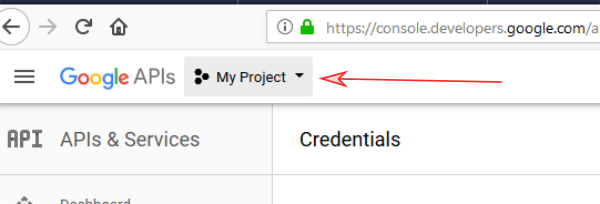
-
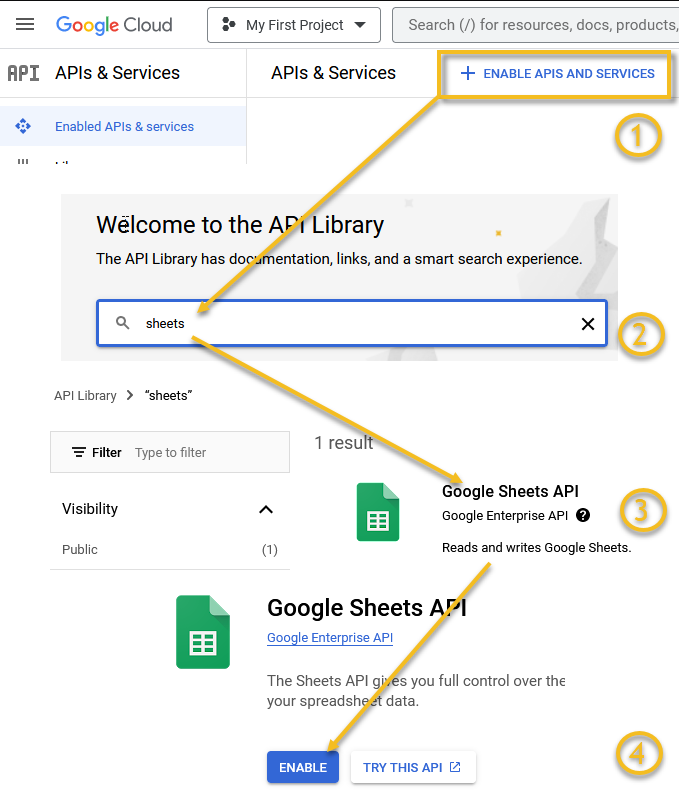
Enable GoogleSheets API if it's disabled. Wait several minutes after enabling API.
( Google's guide, search
for sheets)
- Select
Credentials, click onCreate credentialsand chooseService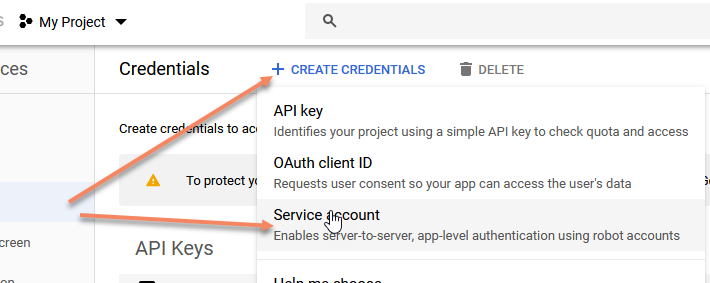
- Optionally name the service and press
Create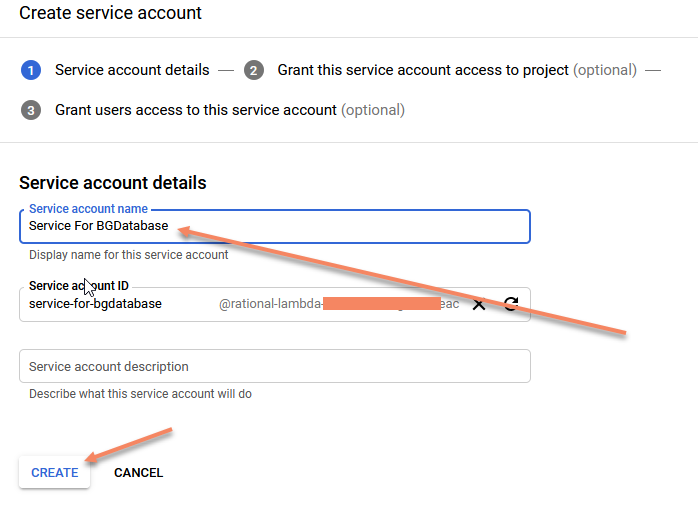
- Click on
Nextbutton on next page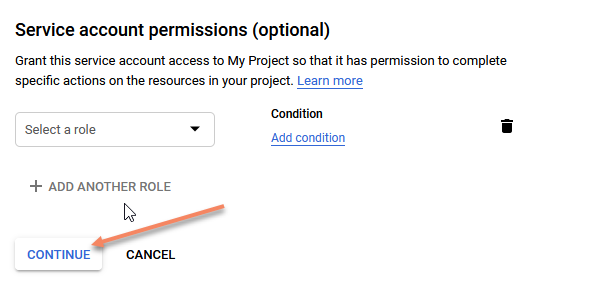
- Click on
Create keybutton, chooseJson, click onCreateand download file on your computer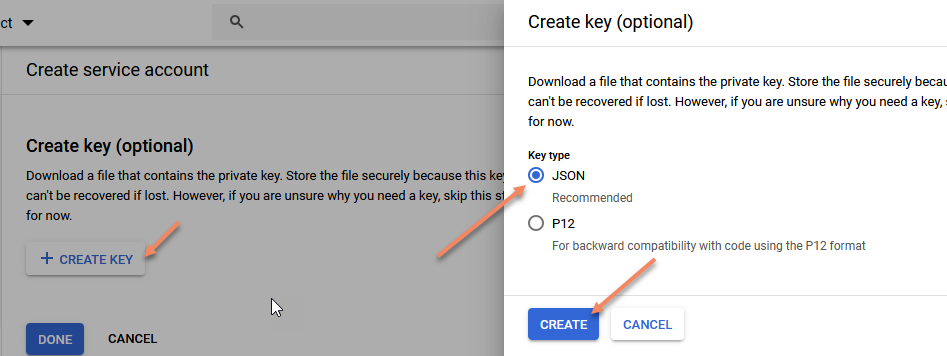
- Open downloaded file in text editor and copy
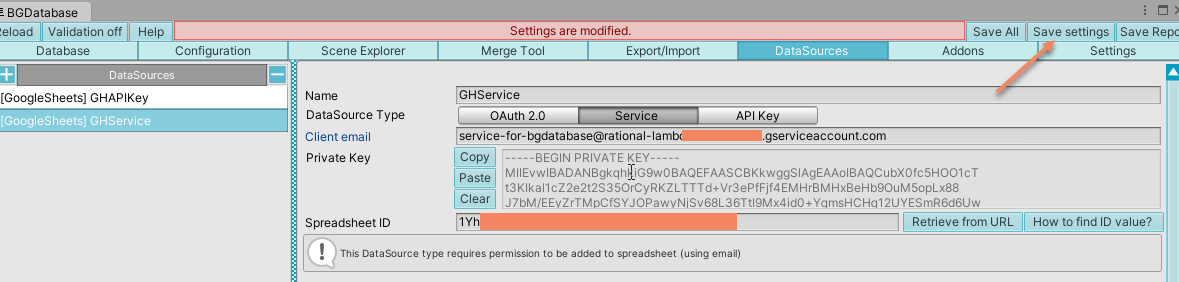
client_emailandprivate_keyattributes to datasource parameters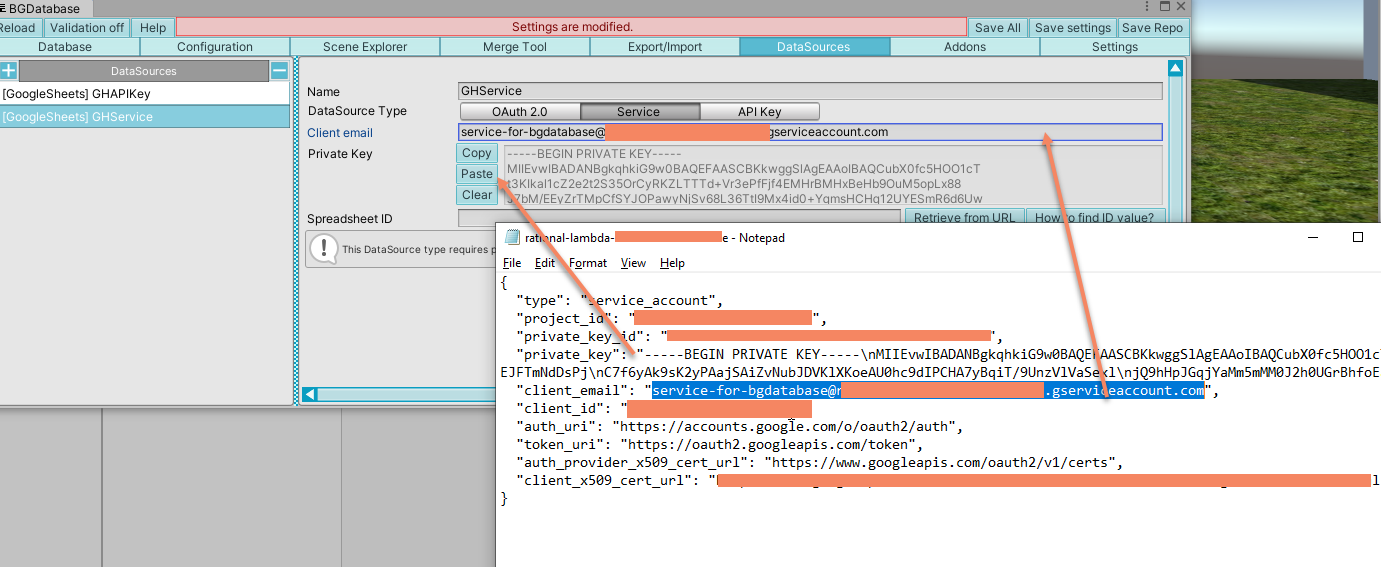
- Open up your spreadsheet in your browser, copy the URL, click on
Retrieve from URLbutton, paste the URL and click onParsebutton to fill Spreadsheet ID (alternatively read this article to learn how to obtain SpreadsheetID)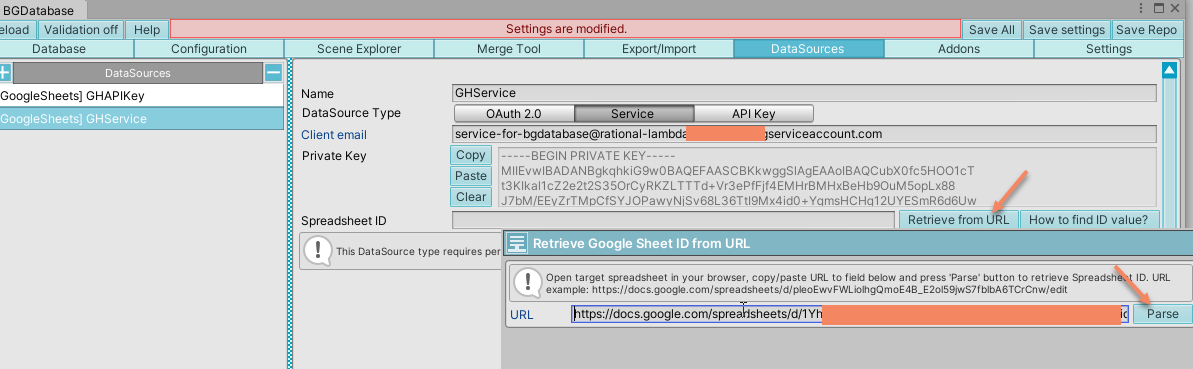
- Save settings
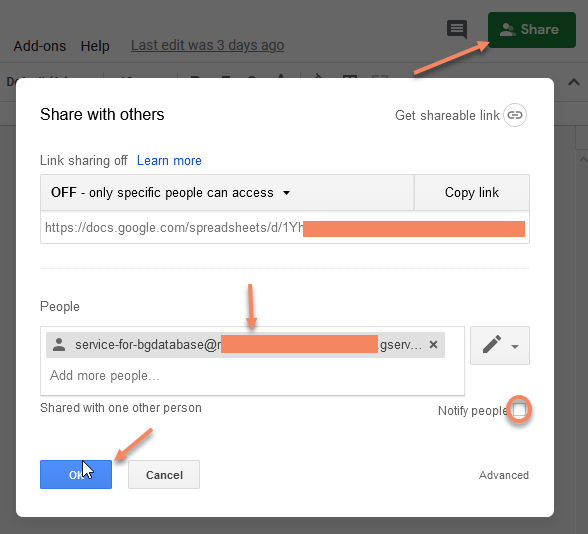
- Switch back to your browser and add service email to the list of authorized users for your spreadsheet

Google Sheets
← Back Service data source setup